API-First Platform

API-first ticket management with a unified inbox

A modern, developer-friendly support platform where every operation is an API call. Tickets, unified inbox, webhooks, email pipeline, and 157 REST endpoints — all automatable.

GoPimi dashboard with ticket management and analytics
// List tickets with filters
GET /api/v1/workspaces/1/tickets?status=open&priority=high

{
  "data": [
    {
      "id": 142,
      "subject": "Ticket #142 - Login page not loading",
      "status": "open",
      "priority": "high",
      "contact": { "name": "Jane Cooper", "email": "jane@acme.co" },
      "agent": { "name": "Alex Chen" },
      "tags": [{ "name": "bug", "color": "#ef4444" }],
      "sla": { "first_response_due": "2026-03-09T14:00:00Z" },
      "created_at": "2026-03-09T10:32:00Z"
    }
  ],
  "meta": { "current_page": 1, "total": 47 }
}

Built for teams that automate

SaaS Teams Dev Agencies Startups MSPs Freelancers
157
API Endpoints
24
Database Models
616
Automated Tests
4
Background Job Queues
Core Philosophy

API-First, Everything Automated

Every operation in GoPimi is available through a clean REST API. Create tickets, manage contacts, assign agents, run bulk actions — all programmatically. Unlike traditional helpdesks that bolt on APIs as an afterthought, GoPimi was designed API-first from day one. Every feature in the dashboard has a corresponding API endpoint, making it straightforward to integrate with your existing tools, build custom workflows, or automate repetitive support tasks.
  • 157 REST endpoints with personal access token authentication
  • Interactive API documentation with try-it-now
  • Bulk actions API (assign, close, spam, trash)
  • Contact management with 7 custom field types
  • Canned responses with template variables, tags, and organizations
  • Webhooks with HMAC-signed payloads and retry logic
  • Resource quotas and usage tracking per workspace
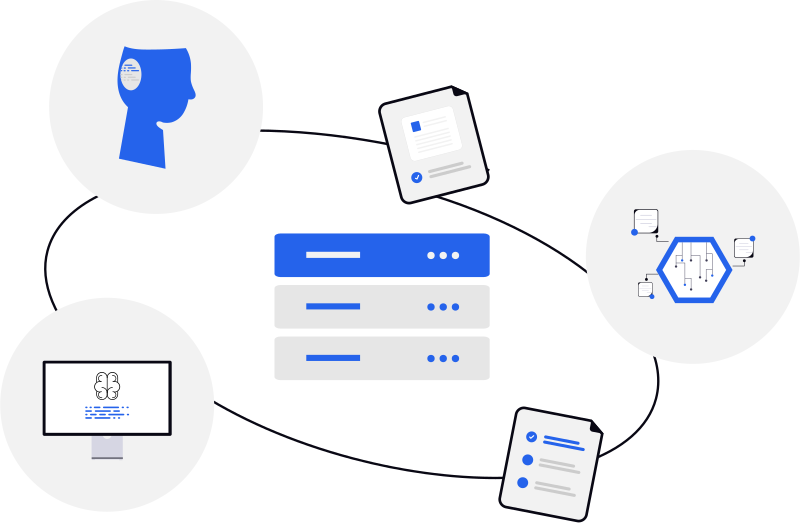
API-first server architecture powering ticket management
Email Pipeline

Emails In, Tickets Out

Inbound emails automatically become tickets or conversations. Agent replies go out as emails. CC recipients are tracked per message. Attachments are handled. Proper Message-ID and In-Reply-To threading keeps everything organized in your customers' email clients. Connect your existing email addresses via custom domain DNS, email forwarding, or MX records — no need to switch providers.

  • Automatic ticket creation from inbound email
  • Proper Message-ID/In-Reply-To/References threading
  • Per-message CC with Reply All support
  • File attachments up to 25 MB per file
  • Custom domain email addresses with DKIM verification
  • Email forwarding — no MX records or provider changes needed
  • Smart forwarding: one rule handles multiple workspace emails
  • SLA tracking with automated breach detection and alerts
Email pipeline converting inbound emails into tickets
Multi-Tenancy

One Account, Multiple Workspaces

Run separate support operations for different products, clients, or teams from a single account. Each workspace is fully isolated with its own tickets, contacts, email addresses, tags, and settings. Invite team members with role-based access — owners manage configuration, members handle day-to-day support. Resource quotas keep usage in check across workspaces.

  • Workspace-scoped data isolation
  • Owner and member role-based access control
  • Token-based team invitations with accept/decline
  • Custom domain email addresses per workspace
  • Independent tags, contacts, organizations, and settings
  • Plan-based resource quotas with per-workspace overrides
Multiple workspaces with isolated data and team collaboration
Unified Inbox

Tickets + Inbox, One Platform

Not every email needs a ticket. GoPimi gives you both structured ticket workflows and a shared team inbox in one platform. Each email address is purpose-routed — support@ creates tickets with status, priority, and SLA tracking, while info@ lands in the shared inbox for general conversations. Your team sees everything in one place, with contacts linked across both tickets and conversations.

  • Purpose-based routing: tickets or inbox per email address
  • Compose, reply, and Reply All as a team
  • Assign conversations to agents (My / Unassigned views)
  • Contact linking across tickets and conversations
  • Read/unread state with live sidebar counts
  • Tags shared across tickets and conversations
  • Spam detection, blocked senders, trash and restore
  • Bulk actions: assign, close, reopen, mark read/unread
Unified inbox with tickets and conversations in one platform
Developer Experience

Built by Developers, for Developers

Clean API design, personal access tokens, predictable responses, and auto-generated OpenAPI documentation. Every endpoint follows the same patterns — consistent JSON responses, standard pagination, and predictable error handling. Generate API tokens from the dashboard and start making requests in seconds. The interactive docs let you test endpoints directly in your browser.

  • Auto-generated OpenAPI 3.1 docs with 157 endpoints
  • Personal access token authentication
  • Consistent JSON response format with error codes
  • Pagination, filtering, and search on all resources
  • Activity log and immutable audit trail
  • 616 automated tests covering the full API surface
cURL
# Create a ticket via API
curl -X POST https://api.gopimi.com/v1/workspaces/1/tickets \
  -H "Authorization: Bearer your_token" \
  -H "Content-Type: application/json" \
  -d '{
    "subject": "Login page not loading",
    "description": "Users report a blank screen...",
    "contact_id": 42,
    "priority": "high"
  }'
Webhooks, Notifications & SLA

Real-Time Events, Never Miss a Deadline

Build automations with webhooks that fire on every ticket, conversation, and contact event. Define SLA policies that track first response and resolution times per priority level. GoPimi checks for breaches every 5 minutes and alerts your team automatically. Email notifications cover ticket assignments, replies, conversation messages, status changes, and SLA breaches — each configurable per workspace with secure one-click unsubscribe.

  • Webhooks with 15 event types and HMAC-SHA256 signatures
  • Automatic retry with exponential backoff and delivery logs
  • SLA policies with configurable targets per priority
  • First response and resolution time tracking
  • Automated breach detection every 5 minutes
  • 5 notification types with per-workspace toggles
  • Secure HMAC-signed one-click email unsubscribe
SLA tracking with automated notifications and breach alerts

Simple, Transparent Pricing

Start small, scale as you grow. All plans include the full API.

Lite

$9 / mo
Per account · billed monthly
  • 1 workspace
  • 2 team members
  • 1 custom domain
  • Platform email address
  • Full REST API access
  • Email notifications
Join Waitlist

Business

$79 / mo
Per account · billed monthly
  • 3 workspaces
  • 20 team members
  • 3 custom domains
  • Priority support
  • 2 GB storage
  • Everything in Pro
Join Waitlist

Frequently Asked Questions

Is GoPimi free?
GoPimi starts at $9/mo for the Lite plan with 1 workspace, 2 team members, and full API access. Pro ($29/mo) adds more workspaces, custom domains, SLA policies, and email forwarding. Business ($79/mo) gives you 20 team members, 3 custom domains, and priority support. See pricing for details.
How is GoPimi different from Zendesk or Freshdesk?
GoPimi is API-first. While traditional helpdesks are UI-first with APIs bolted on, GoPimi treats the API as the product. Every feature is designed to be automated and integrated, with a lightweight dashboard for operations.
Can I use my own email domain?
Yes. GoPimi supports custom email domains with full DNS verification. You can also use email forwarding if you don't want to change your MX records — just forward your existing email to a GoPimi address. Inbound emails automatically create and update tickets with proper threading.
What's the difference between tickets and the unified inbox?
Tickets are for structured support workflows — they have status, priority, agent assignment, and SLA tracking. The unified inbox handles general email conversations that don't need the full ticket lifecycle. Each workspace email is purpose-routed to either tickets or the inbox automatically — giving your team one platform for all customer communication.
Can I manage multiple brands or products?
Absolutely. GoPimi's multi-workspace model lets you run isolated support operations for each brand, product, or client from a single account.

View all FAQs →

Ready to automate your support?

Join the waitlist and help shape the future of API-first ticket management.

Join Waitlist